Embedding Wetu Itineraries Cleanly Without Breaking Mobile Layouts
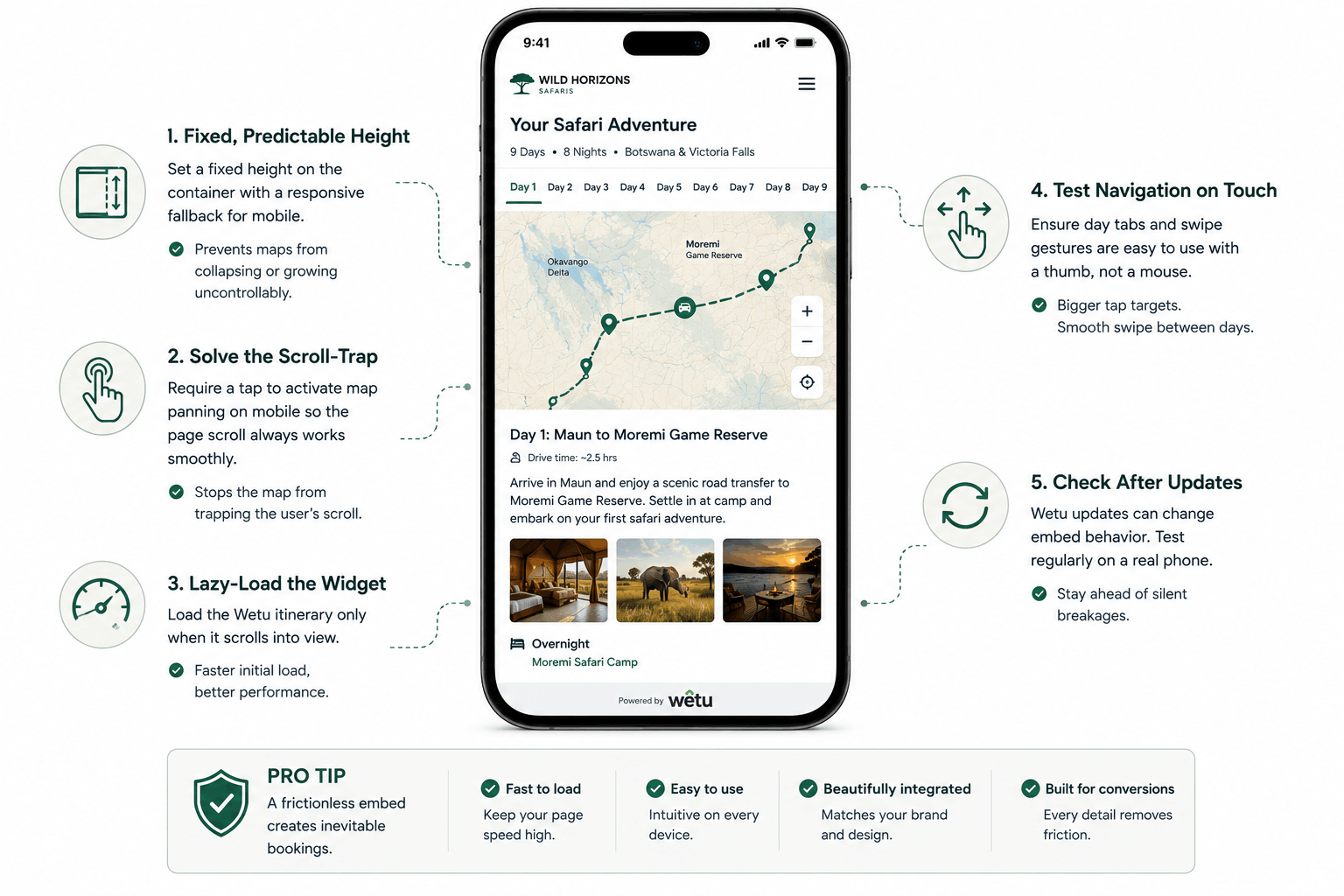
Wetu itineraries are beautiful on a desktop and a mess on a phone if embedded carelessly. Here's how tour operators can fix map bugs, scroll traps, and container sizing.
A well-built Wetu itinerary is one of the best sales tools a tour operator has: a day-by-day story of the trip, complete with maps, photos, and pacing that makes a client picture themselves already there. Embed it carelessly, and that same tool becomes the reason a client abandons the page on their phone.
Wetu itself is not the problem. The problem is almost always the container it gets dropped into. Most tour operator websites embed the Wetu itinerary widget the same way they would embed a YouTube video, drop in the iframe, walk away, and hope for the best. Interactive maps do not forgive that kind of neglect. It is a large part of why we built a dedicated Wetu itinerary integration service.
1. Give the Map a Fixed, Predictable Height
The most common Wetu bug on mobile is a map that either collapses to zero height or expands endlessly down the page. This happens when the embedding container relies on the iframe's own intrinsic sizing instead of being given an explicit height in your CSS. Set a fixed height with a responsive fallback for smaller breakpoints rather than letting the widget decide for itself.
2. Solve the Scroll-Trap Problem
Wetu's interactive maps capture scroll and pan gestures, which on a touchscreen device conflicts directly with the page's own vertical scroll. A visitor trying to scroll past the itinerary can get their thumb "trapped" inside the map, unable to continue down the page. The fix is to require a tap or explicit interaction before enabling pan gestures on mobile, so the page scroll always takes priority by default.
3. Lazy-Load the Widget
Wetu itineraries are resource-heavy. Loading them immediately on page load slows down your entire itinerary page, which matters enormously for clients browsing from overseas on hotel wifi. Lazy-load the widget so it only initializes once it scrolls into view, keeping your initial page load fast.
4. Test the Day-by-Day Navigation on Touch
Desktop testing tends to hide a specific mobile bug: day-selector tabs that are sized for a mouse cursor become nearly unusable for a thumb. Increase touch target sizes for itinerary day navigation, and confirm swipe gestures between days do not conflict with the page's own horizontal scroll.
5. Always Check After a Wetu Update
Because Wetu periodically updates its own embed structure, a container that worked perfectly last quarter can break silently after a platform update on their end. Build a habit of checking your embedded itineraries on a real phone once a month, not just at launch.
Clients do not remember admiring your itinerary widget. They remember whether the trip felt inevitable by the time they finished scrolling. A clean, frictionless embed is what makes that feeling possible.
LET’S TALK
Have a project in mind after reading this? Send a brief and I usually reply within 24 to 48 hours.