Website Migration Checklist for Guest Houses and Lodges (Without Losing a Single Booking)
Moving your lodge website to a new design shouldn't cost you bookings, email, or your Google rankings. Here's the exact checklist we run before every migration.
Here's a story we hear at least once a month: a lodge owner falls in love with a new website design, launches it on a Friday afternoon, and by Monday morning their booking emails have vanished into the void and their Google rankings have quietly collapsed.
Nobody warned them that a website migration is not a design project. It is an infrastructure project wearing a design project's clothes. The visual refresh is the part your guests see. The part that actually determines whether you survive the move is everything happening underneath: DNS records, API keys, redirect maps, and the invisible plumbing connecting your booking engine to the outside world.
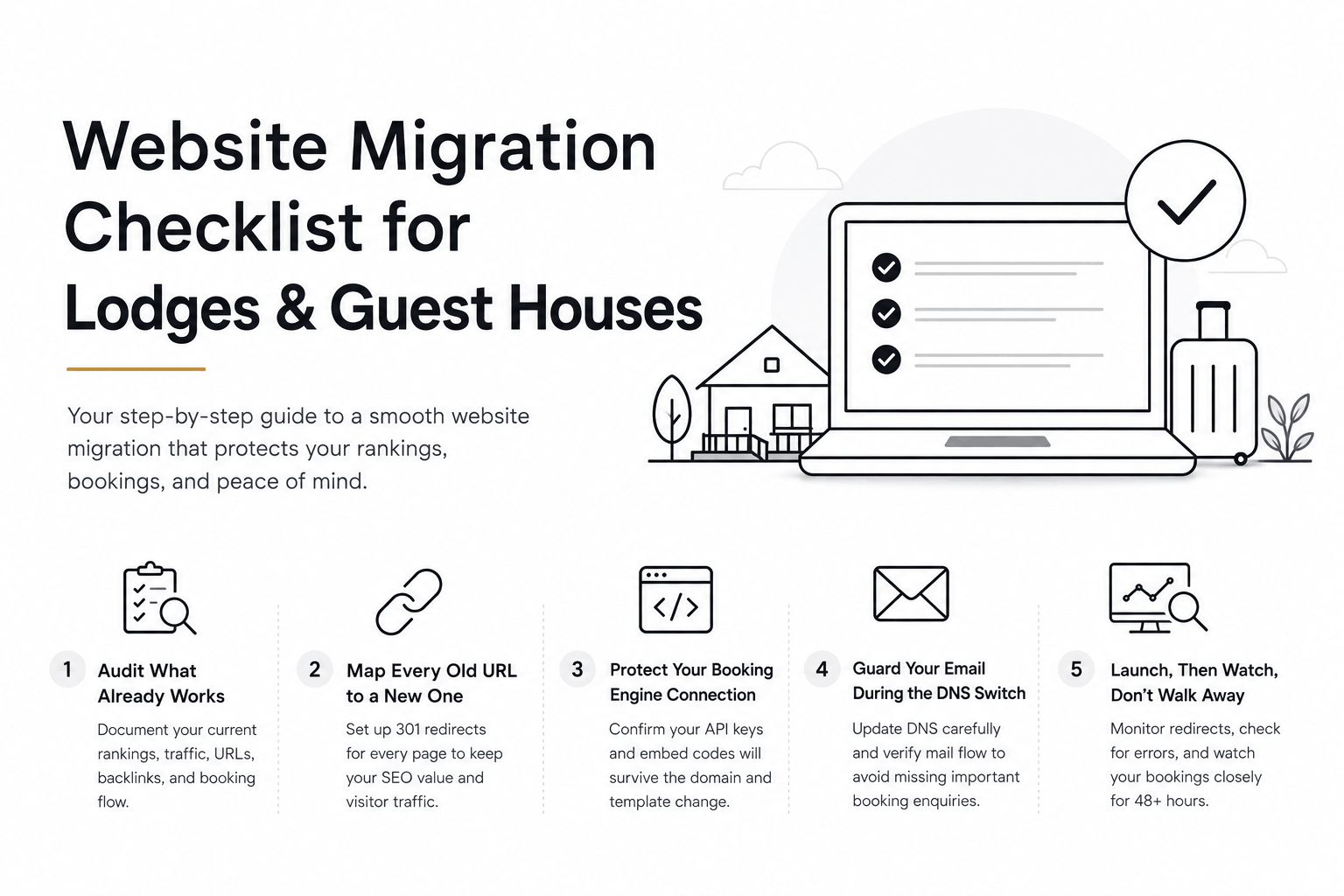
A change this size deserves a checklist, not a hope. Here is the one we run for every lodge and guest house migration, drawn from our own website migration service.
1. Before You Touch Anything: Audit What Already Works
You cannot protect what you have not measured. Before migration day, document your current rankings for your top 20 search terms, your current organic traffic, and every single URL that currently receives visits or backlinks.
Export your top-performing pages from Google Search Console.
List every external site linking to you (partners, tourism boards, review sites).
Screenshot your current booking flow, step by step, so nothing gets lost in translation.
2. Map Every Old URL to a New One
This is the step people skip, and it is the one that costs the most. Every page on your existing site needs a 301 redirect to its new equivalent. Skip this and Google treats your new site as a stranger, wiping out years of accumulated trust in a single afternoon.
3. Protect Your Booking Engine Connection First
Whether you run NightsBridge, ResRequest, or Semper, your booking widget relies on API keys and embed codes tied to your domain. Confirm with your booking engine provider, in writing, that your integration will survive the domain and template change before you launch, not after.
4. Guard Your Email During the DNS Switch
DNS changes affect more than your website; they affect your MX records, which control your email. A rushed migration can leave a lodge unable to receive booking enquiries for days. Always update DNS in a low-traffic window, and verify mail flow before touching anything else.
5. Launch, Then Watch, Don't Walk Away
The 48 hours after launch matter more than the launch itself. Monitor your redirects for 404 errors, watch your booking engine for failed transactions, and keep Search Console open for crawl errors. Small things caught on day one are minor. Small things caught on day thirty are lost revenue.
A migration done well is invisible to your guests and quietly reassuring to Google. That invisibility is not an accident. It is the result of following a checklist instead of following excitement. If you want a second pair of eyes before you launch, our free Web Redesign Readiness Checklist covers the same ground in more detail.
LET’S TALK
Have a project in mind after reading this? Send a brief and I usually reply within 24 to 48 hours.