Why Wetu Maps Fail to Load on Mobile Devices (And How to Fix It)
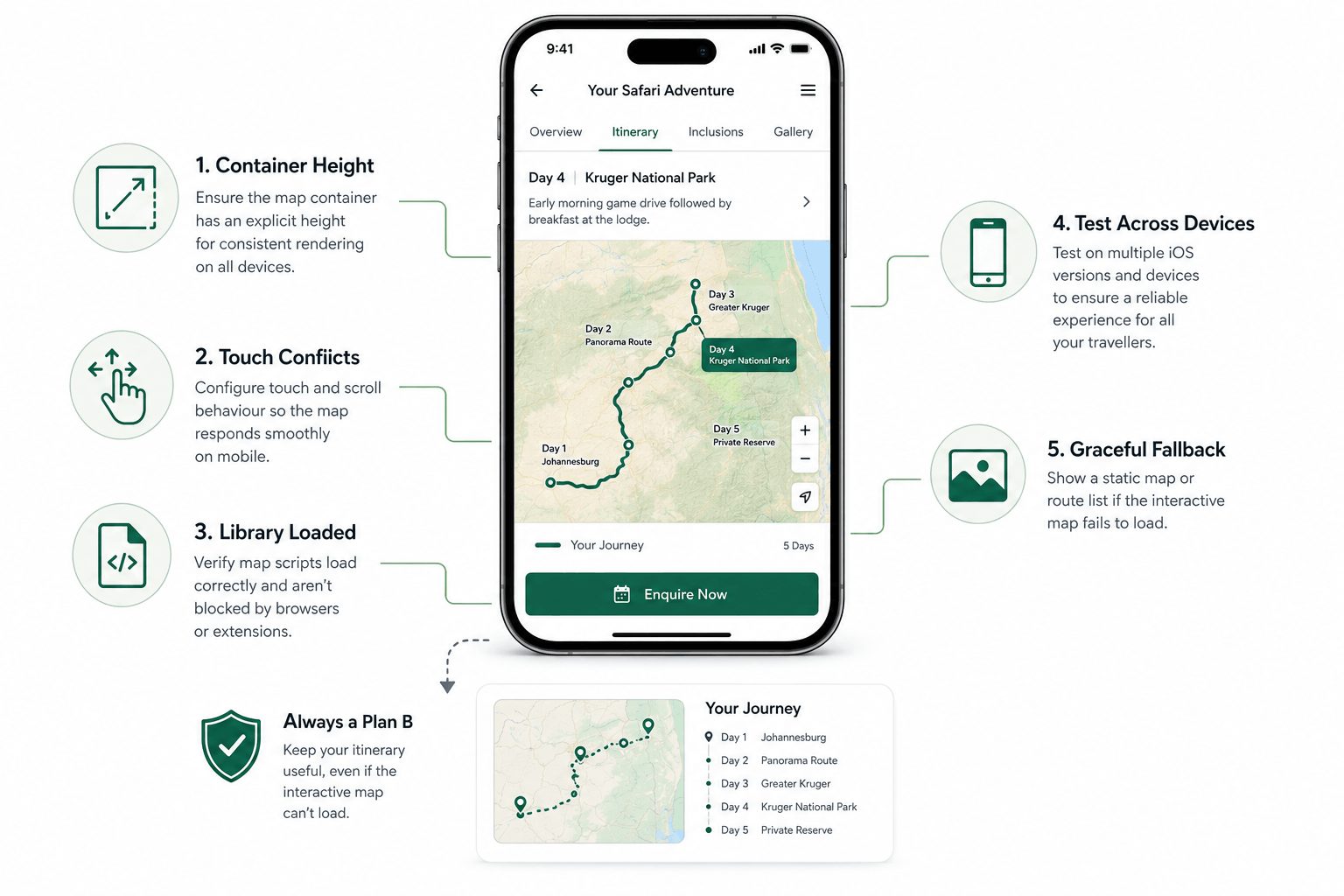
A blank grey box where an interactive itinerary map should be is one of the most common Wetu bugs on iPhone. Here's what actually causes it and how to fix it for good.
A prospective client is scrolling through your tour itinerary on their phone, genuinely interested, when the interactive map that is supposed to bring the route to life instead renders as a blank grey box. No error message. No obvious explanation. Just silence where a compelling visual was supposed to close the deal.
This is one of the most common Wetu complaints we hear from tour operators, and it is almost never a Wetu platform problem. It is an embedding problem, and it is fixable, exactly the kind of issue our Wetu integration service exists to prevent.
1. Diagnose the Container Height First
The single most common cause is a map container with no explicit height, or a height defined only in a unit that behaves inconsistently on mobile, like a raw percentage with no parent height to inherit from. On many phones this collapses the map canvas to zero pixels tall before it ever gets a chance to render.
2. Check for a Touch Scroll-Lock Conflict
Wetu's maps capture touch and pan gestures for the map itself, which without careful configuration can conflict with the page's own scroll behavior. On some devices this manifests not as a visible rendering bug but as a map that appears frozen or unresponsive to touch, which visitors read as broken.
3. Confirm the Map Library Actually Loaded
A slow or blocked third-party script, sometimes from an ad blocker or aggressive mobile browser privacy setting, can prevent the underlying map library Wetu depends on from ever initializing. Check your browser console on an actual mobile device rather than assuming the script always loads.
4. Test Across iOS Versions, Not Just One Device
A fix confirmed on a recent iPhone does not guarantee the same result on an older iOS version still common among some traveler demographics. If your itinerary is aimed at an international, often older-skewing safari audience, testing across a spread of device ages matters more than it might for other verticals.
5. Add a Graceful Fallback
Even with careful fixes, build in a static fallback image or simplified route list that displays if the interactive map fails to initialize for any reason. A blank grey box tells a visitor something is broken. A fallback route list, even a simple one, keeps the itinerary useful either way.
An itinerary map is meant to make a trip feel real before a client has even booked it. When it fails silently, it does the opposite: it quietly plants doubt at exactly the moment you are trying to build excitement.
LET’S TALK
Have a project in mind after reading this? Send a brief and I usually reply within 24 to 48 hours.